

Complete Redis guide
The complete Redis guide is a comprehensive resource that provides in-depth insights into Redis, an open-source, high-performance, in-memory data structure store. Covering essential concepts such as data types (strings, hashes, lists, sets, sorted sets), Pub/Sub messaging, scripting, and advanced features like replication and clustering, the guide caters to both beginners and experienced developers.
Redis cheat-sheets
This blog contains all the important and basics command related redis
What is Redis
Redis is an open source (BSD licensed), in-memory data structure store used as a database, cache, message broker, and streaming engine. Redis provides data structures such as strings, hashes, lists, sets, sorted sets with range queries, bitmaps, hyperloglogs,geospatial indexes, and streams. Redis has built-in replication, Lua scripting, LRU eviction, transactions, and different levels of on-disk persistence, and provides high availability via Redis Sentinel and automatic partitioning with Redis Cluster.
You can write redis command in any case it don'nt matter, either upper case or lower case
To install redis in Linux
sudo apt-get install redis
#or using snap
sudo snap install redis
To start the redis server
redis-server
To access the redis cli like node and python repl
redis-cli
From now onwards all the operations are performed inside redis cli
Note - To use the redis cli the redis server must be opened which can be started by redis-server command
Basic commands
To quit from redis-cli
127.0.0.1:6379> quit
Set the key-value pair data
#SET (Key) (value)
127.0.0.1:6379> SET name Arshil
OK
Retrieve the value from DB
#GET (Key)
127.0.0.1:6379> GET NAME
"Arshil"
All the data is stored inside redis is type of string
127.0.0.1:6379> SET age 18
OK
127.0.0.1:6379> GET age
"18"
Deleting the key-value
#DEL (key)
127.0.0.1:6379> DEl age
(integer) 1
127.0.0.1:6379> GET age
(nil) #key is deleted
To check whether the particular key exist on DB or not
#EXISTS (key)
127.0.0.1:6379> EXISTS name
(integer) 1 #if key exists
127.0.0.1:6379> EXISTS age
(integer) 0 #if key does not exists
To get all the existed keys in DB
#KEYS (pattern)
127.0.0.1:6379> KEYS *
1) "name"
127.0.0.1:6379> SET post Developer
OK
127.0.0.1:6379> KEYS *
1) "name"
2) "post"
To clear the whole DB
127.0.0.1:6379> FLUSHALL
OK
127.0.0.1:6379> KEYS *
(empty array)
Deleting the data within particular time limit
127.0.0.1:6379> ttl name
(integer) -1 #it has no expression therefore it lives forever
127.0.0.1:6379> EXPIRE name 10 #this key expires after 10 second
(integer) 1
127.0.0.1:6379> ttl name
(integer) 8 #expires after 8 second
127.0.0.1:6379> ttl name
(integer) 4 #expires after 4 second
127.0.0.1:6379> get name
"Arshil"
127.0.0.1:6379> ttl name
(integer) 0 #expires after 0 second
127.0.0.1:6379> ttl name
(integer) -2 #-2 indicates that the key is expired
127.0.0.1:6379> get name
(nil)
Setting expire time along with keys
#SETEX (key) (time in sec) (vakue)
127.0.0.1:6379> SETEX name 20 Arshil
OK
127.0.0.1:6379> ttl name
(integer) 16
127.0.0.1:6379> get name
"Arshil"
#after 20 second
127.0.0.1:6379> ttl name
(integer) -2
Lists in redis
List are the array like data structure used to store multiple value simultaneously with one key
Pushing element in list
#lpush key (values...)
#lpush stands for left push which append element at the beginning of the list
127.0.0.1:6379> lpush languages typescript python c cpp
(integer) 4
#rpush stands for right push which append element at the end of the list
127.0.0.1:6379> rpush languages java c#php javascript
(integer) 8
Retrieving values from the list
#lrange (key) (start index) (end index)
127.0.0.1:6379> lrange languages 0 -1
1) "cpp"
2) "c"
3) "python"
4) "typescript"
5) "java"
6) "c#"
7) "php"
8) "javascript"
127.0.0.1:6379> lrange languages 0 3
1) "cpp"
2) "c"
3) "python"
4) "typescript"
Popping elements from list
#lpop (key) or rpop (key)
127.0.0.1:6379> lpop languages
"cpp"
127.0.0.1:6379> rpop languages
"javascript"
#values after element are pooped
127.0.0.1:6379> lrange languages 0 -1
1) "c"
2) "python"
3) "typescript"
4) "java"
5) "c#"
6) "php"
Sets in redis
Sets are similar to list except is is used to store all the unique values in record
Adding element in sets
#SADD Key (values)
127.0.0.1:6379> SADD nums 1 2 3 4 5
(integer) 5
127.0.0.1:6379> SADD cars "Royce Royale" Benz Mustang #you can use "" if you have multiple word item
(integer) 3
#We can't add same values again
127.0.0.1:6379> SADD nums 1
(integer) 0
127.0.0.1:6379> SADD cars Benz
(integer) 0
Retrieving values from sets
#SMEMBERS (key)
127.0.0.1:6379> SMEMBERS nums
1) "1"
2) "2"
3) "3"
4) "4"
5) "5"
127.0.0.1:6379> SMEMBERS cars
1) "Mustang"
2) "Benz"
3) "Royce Royale"
Removing item from sets
#SREM key (values...)
127.0.0.1:6379> SREM cars Mustang "Royce Royale"
(integer) 2
127.0.0.1:6379> SREM nums 1 3 4 5
(integer) 4
#values after elements are removed
127.0.0.1:6379> SMEMBERS nums
1) "2"
127.0.0.1:6379> SMEMBERS cars
1) "Benz"
Hashes
Hashes are just another key value pair inside key value pair up to one level consider this json example
{
    "name":"Eren",
    "friends":{
        "name":"Armin",
    }
}
Setting hash value
#HSET Key (field) (value) (fields... values...)
127.0.0.1:6379> HSET characters name Eren friend armin
(integer) 1
Retrieving hash value
#HGET Key field
127.0.0.1:6379> hget characters friend
"armin"
127.0.0.1:6379> hget characters name
"Eren"
#get all values for specific hash
#HGETALL key
127.0.0.1:6379> HGETALL characters
1) "name"
2) "Eren"
3) "friend"
4) "armin"
Deleting fields in hash
#HDEL key field
127.0.0.1:6379> HDEL characters friend
(integer) 1
#after deleting key 'friend'
127.0.0.1:6379> HGETALL characters
1) "name"
2) "Eren"
Check whether particular key exist or not
#HEXIST key field
127.0.0.1:6379> HEXISTS characters name
(integer) 1
127.0.0.1:6379> HEXISTS character friend
(integer) 0
Usage of redis in real world example
Basic node express server code without using redis
app.get("/photos", async (req, res) => {
  const albumId = req.query.albumId;
  const { data } = await axios.get(
    "https://jsonplaceholder.typicode.com/photos",
    { params: { albumId } }
  );
  res.send(data);
});
app.get("/photos/:id", async (req, res) => {
  // can be anything (fetching from db or any other expensive task)
  const { data } = await axios.get(
    `https://jsonplaceholder.typicode.com/photos/${req.params.id}`
  );
  res.send(data);
});
Install the redis
npm i redis
#or
yarn add redis
Setup redis in node js
const redisClient = Redis.createClient();
(async () => {
  await redisClient.connect();
})();
// create js utility fn to store and retrieve cache from db
function getOrSetCache(key, cb) {
  return new Promise(async (resolve, reject) => {
    const data = await redisClient.get(key);
    if (data != null) resolve(JSON.parse(data));
    const freshData = await cb();
    redisClient.setEx(key, DEFAULT_EXPRESSION, JSON.stringify(freshData));
    resolve(freshData);
  });
}
// using function in express routes
app.get("/photos", async (req, res) => {
  const albumId = req.query.albumId;
  const photos = await getOrSetCache(`photos?albumId=${albumId}`, async () => {
    const { data } = await axios.get(
      // can be anything (fetching from db or any other expensive task)
      "https://jsonplaceholder.typicode.com/photos",
      { params: { albumId } }
    );
    return data;
  });
  res.json(photos);
});
app.get("/photos/:id", async (req, res) => {
  const id = req.params.id;
  const photos = await getOrSetCache(`photos:${id}`, async () => {
    const { data } = await axios.get(
      `https://jsonplaceholder.typicode.com/photos/${req.params.id}`
    );
    return data;
  });
  res.json(photos);
});
Results without using redis
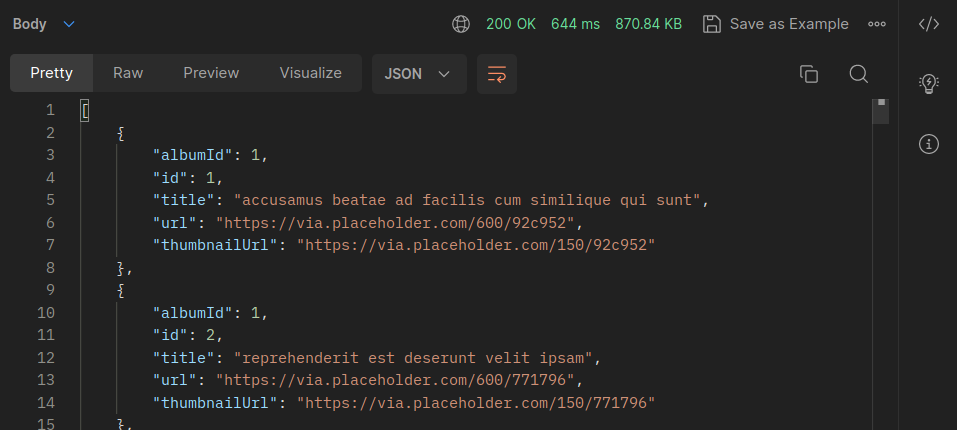
Time taken to process endpoint /photos 644ms
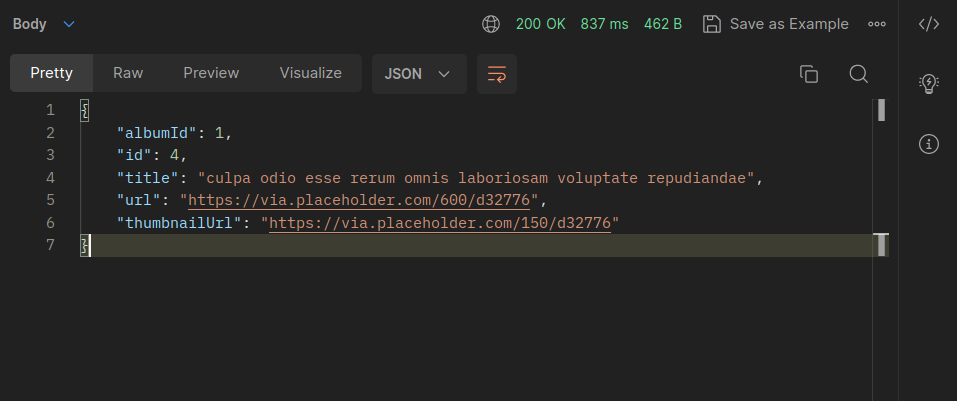
Time taken to process endpoint /photos/4 837ms
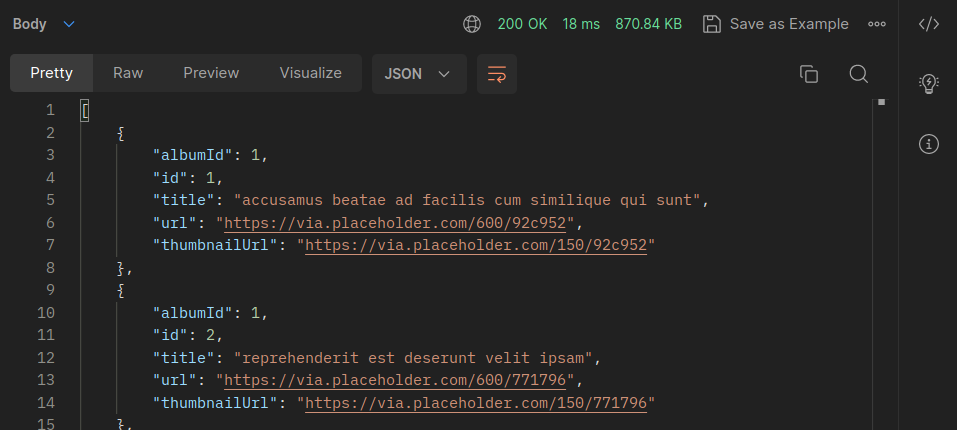
Results after using redis cache
(note that every endpoint needs an hit to store the data in cache after initial hit this record is measured)
Time taken to process endpoint /photos 18ms
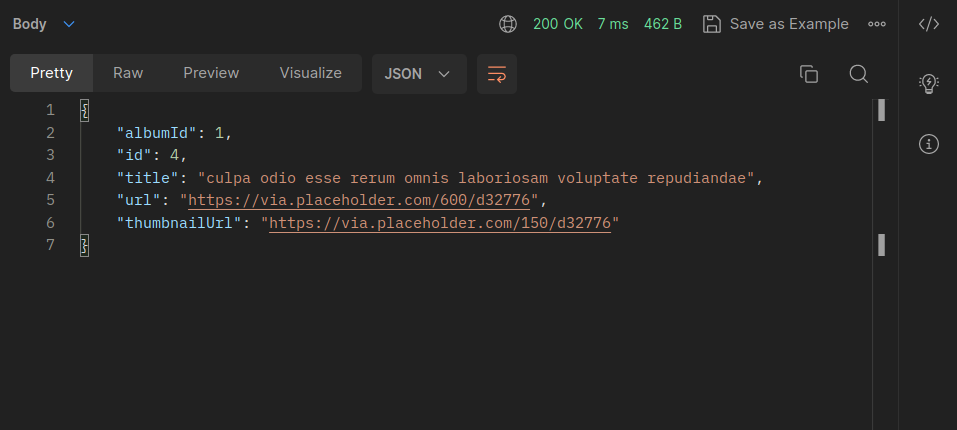
Time taken to process endpoint /photos/4 7ms
Redis collection
127.0.0.1:6379> keys *
1) "photos?albumId=1"
2) "photos?albumId=20"
3) "photos:4"
4) "photos?albumId=undefined"
